

The 3-2-1 Backup Rule: Super Easy Steps to Back Up Your Server Like a Pro
Introduction to Server Backups
Backing up your server is like having an insurance policy for your digital assets. It ensures that if something goes wrong—whether it’s a crashed hard drive, a ransomware attack, or an accidental deletion—you can restore your data and get back to business. This guide will walk you through essential best practices to back up your server like a pro, keeping your data safe and recoverable.
Why It Matters
Servers hold critical data and applications, and losing them can lead to downtime, financial loss, and reputational damage. Statistics show that 60% of backups are incomplete, and 50% of restores fail, highlighting the need for a solid strategy. By following these steps, you can minimize these risks and ensure your backups work when you need them most.
Types of Backups
Understanding the types of backups is fundamental to designing an effective strategy:
- Full Backup: Copies all data on the server, providing a complete snapshot. It’s comprehensive but can be resource-intensive, requiring significant storage and time.
- Incremental Backup: Copies only data changed since the last backup (full or incremental). It’s faster and uses less storage but requires sequential restores, starting from the last full backup and applying each incremental backup, which can be time-consuming.
- Differential Backup: Copies all data changed since the last full backup, offering a middle ground. It’s slower than incremental but faster to restore, as it only needs the last full backup and the latest differential.
Choosing the right type depends on your server’s data volume, change frequency, and recovery time objectives (RTO). For example, a high-change environment might benefit from incremental backups for frequent updates, while a stable server might use differential backups for balance.
The 3-2-1 Backup Rule: A Core Strategy
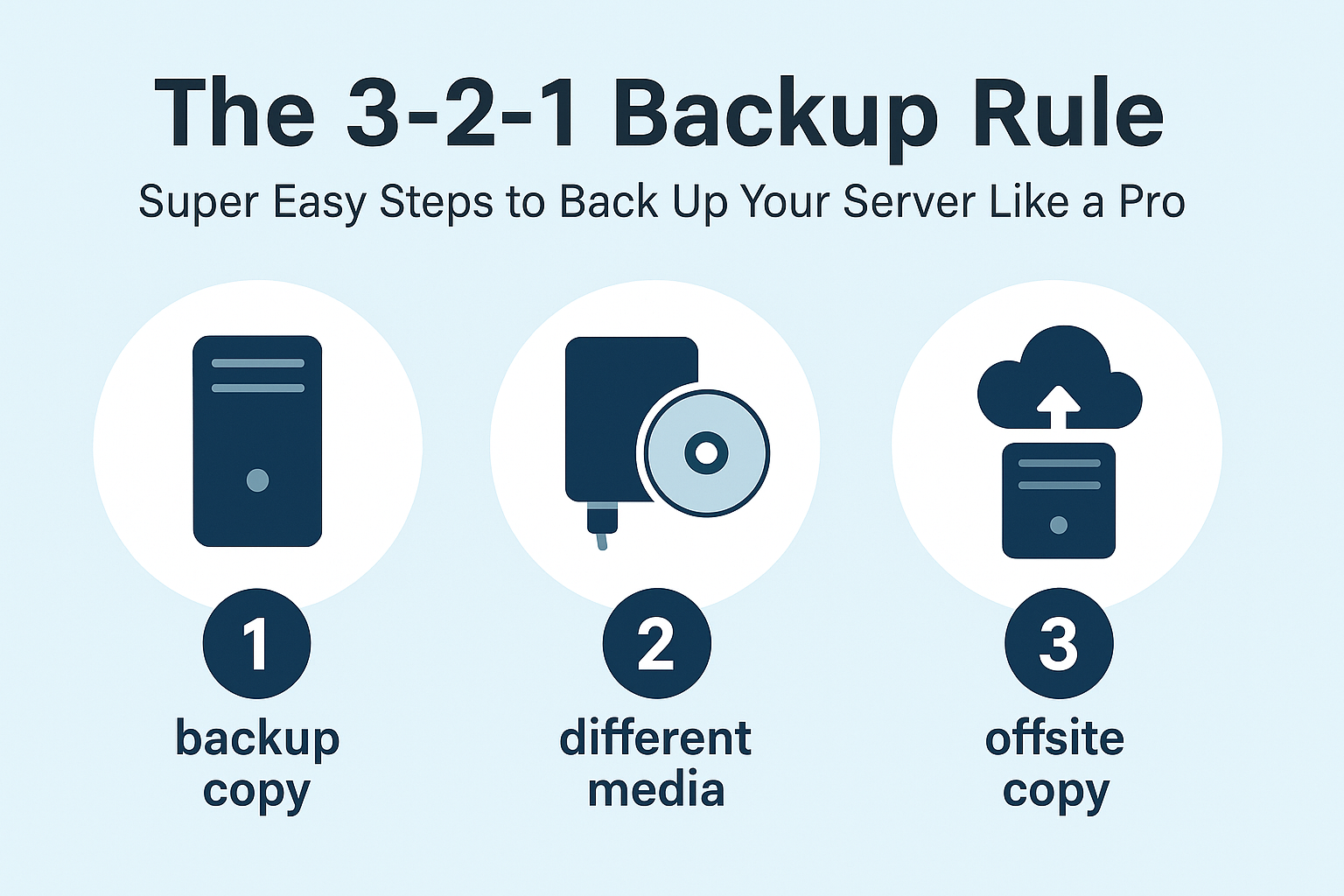
The 3-2-1 backup rule is a widely recommended practice, detailed in sources like NinjaOne and TechTarget. It involves:
- Three Copies: Maintain at least three copies of your data, including the original and two backups. This ensures redundancy, protecting against single-point failures.
- Two Different Media: Store two copies on different types of media, such as local disk and cloud storage, to mitigate risks from media-specific failures (e.g., disk corruption).
- One Offsite: Keep one copy offsite or in the cloud, ensuring physical separation to protect against disasters like fires or floods.
Benefits: This strategy spreads backups across locations and media, reducing the likelihood of total data loss. It’s particularly effective against ransomware, as an off-site, immutable backup can be restored even if local copies are compromised.
Implementation: For example, you might keep one copy on an on-site NAS, another in a cloud service like AWS, and a third on an external hard drive stored off-site. NinjaOne also mentions a 3-2-3 variation, using three cloud copies across Amazon Availability Zones for added security, minimizing the likelihood of non-access due to regional outages.
Challenges: While simple and effective, the 3-2-1 rule can be costly, especially with cloud storage fees and additional hardware for onsite media. It may also be outdated for some organizations with advanced, integrated backup solutions, and smaller businesses might find the costs prohibitive.
Increasing Backup Frequency
The rise of ransomware and other cyber threats has necessitated more frequent backups. TechTarget emphasizes that nightly backups are no longer sufficient, recommending multiple daily backups, especially for critical systems. Block Level Incremental (BLI) backups enable this by copying only changed data blocks, reducing backup time and storage needs. Technologies like in-place recovery (restoring directly to protected storage) and streaming recovery (restoring to production storage with priority) further support rapid recovery, aligning with modern service-level demands.
For example, if your RTO is 15 minutes, you might need backups every 15 minutes, supported by high-performing disk backup storage. This approach is cost-effective with many vendors offering free or community versions, but it requires careful planning to manage backup limits, such as twice-a-day consolidation jobs for BLI backups.
Automation and Testing
Automation is critical to ensure consistency and reduce human error. Most backup software, such as NinjaOne’s server backup solution, offers scheduling features for automatic backups, email notifications for failures, and retention policies. Automating disaster recovery runbooks, as suggested by TechTarget, is also vital for multi-tier applications, ensuring recovery order is documented and executable with a single click.
Testing backups is equally important, given the high failure rates in restores. Regularly perform restore tests to verify completeness and recoverability, understanding restore time and space requirements. For instance, try restoring a file, database, or entire server to a test environment to catch issues early. This practice is supported by statistics showing 72% of users needed recovery at least once in the past year, emphasizing the need for reliable backups.
Security Measures
Securing backups is non-negotiable, especially with sensitive data. Encryption protects against unauthorized access, particularly for cloud-stored backups, while access controls limit who can restore data. Immutable backups, which cannot be altered or deleted, are crucial against ransomware, ensuring a clean recovery point. For HIPAA-protected information, additional measures like role-based access and compliance with regulations are essential.
Cloud Backup Considerations
Cloud backups offer significant advantages, including off-site storage, scalability, and accessibility. They’re ideal for the off-site copy in the 3-2-1 rule and can serve as a tier for archiving old data or providing disaster recovery as a service (DRaaS). However, long-term costs, including egress fees, can be a challenge, especially for medium to large organizations. Smaller businesses benefit most, while larger ones might own storage but use cloud for recent copies and DRaaS.
A hybrid approach is often recommended: store recent backups locally for quick recovery and older backups in the cloud for cost savings. Vendors must clarify DR times from declaration to usability, ensuring alignment with RTOs. For example, cloud backups can facilitate frequent testing, as noted by TechTarget, enhancing reliability.
Aligning with Service-Level Demands
Aligning backups with service-level demands involves prioritizing applications based on their criticality. Modern technologies like BLI and rapid recovery allow recovery windows as short as 30 minutes to 1 hour for all applications, but if your service level is 15 minutes, backups must be every 15 minutes. This requires higher-performing backup storage and may involve consolidation jobs to manage limits, balancing cost and performance.
Long-Term Retention vs. Backups
Backups are designed for short-term recovery, not long-term retention. Using backups for retention can lead to storage bloat and compliance challenges, especially with regulations like GDPR, which require file-by-file access. Instead, use archiving solutions for long-term storage, offering granularity and cost-effectiveness. For example, archive products can store data off-production, meeting compliance needs without impacting backup performance.
Protecting Endpoints and SaaS Applications
Endpoints (laptops, desktops, tablets, smartphones) and SaaS applications (e.g., Office 365, Google G-Suite, Salesforce) often contain unique data not stored on the server. Cloud-based endpoint backups are practical, ensuring data protection across devices. For SaaS apps, user agreements often place responsibility on the organization, necessitating integrated or SaaS-specific backup systems. This is crucial, as these platforms hold critical business data, and a loss can disrupt operations.
Conclusion and Final Recommendations
Backing up your server like a pro requires a comprehensive strategy that addresses frequency, security, testing, and alignment with business needs. Start with the 3-2-1 rule, automate and test regularly, and secure with encryption. Consider cloud options for off-site storage, but watch for costs, and use archiving for long-term retention. Don’t forget endpoints and SaaS applications, ensuring all critical data is protected. By following these practices, you’ll be prepared for whatever challenges arise, minimizing downtime and data loss.
Tips for Optimization:
Ensure the two onsite copies are not on the same machine to avoid correlated failures.
Consider file backups for optimized storage, especially for large datasets.
Minimize cloud storage costs by archiving older data to lower-cost tiers.
