

How to Deploy SimpleX Chat on Linode Using the Marketplace: A Step-by-Step Guide
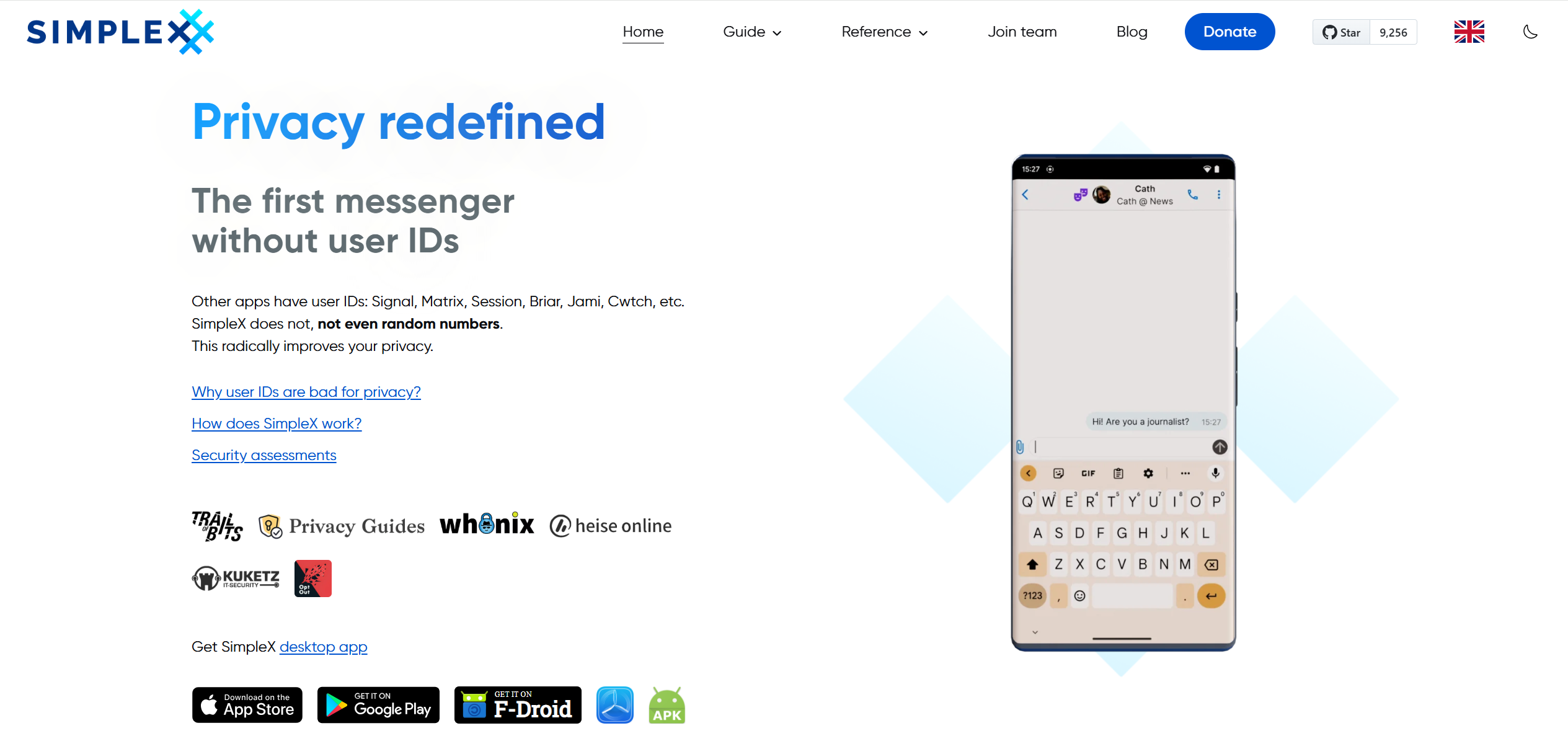
In an era where data privacy concerns are at an all-time high, secure and decentralized messaging platforms like SimpleX Chat are gaining popularity. SimpleX Chat is a private messaging solution that uses anonymous identifiers to protect user privacy, eliminating the need for traditional user profiles or phone numbers. By deploying your own SimpleX Chat server on Linode (now part of Akamai), you can take full control of your communications while benefiting from reliable cloud infrastructure.
Whether you’re a privacy enthusiast, a developer, or an organization seeking a self-hosted chat solution, this guide will walk you through the process of deploying SimpleX Chat via the Linode Marketplace. The Marketplace simplifies deployments with one-click apps, making it accessible even for beginners. Let’s dive in.
What is SimpleX Chat?
SimpleX Chat is an open-source messaging platform designed with privacy at its core. Unlike conventional apps that rely on centralized servers and user metadata, SimpleX uses a network of relay servers (SMP servers) to pass messages without storing any identifiable information. It also supports file transfers through XFTP servers, ensuring end-to-end encryption and anonymity.
Key features include:
- Anonymous Identifiers: No phone numbers, emails, or usernames required—connections are made via temporary links or QR codes.
- Decentralized Architecture: Messages are relayed through servers without accessing your contact graph.
- End-to-End Encryption: All communications are secured, with options for self-hosted servers to enhance control.
- Cross-Platform Support: Available on mobile (iOS and Android) and desktop apps.
By self-hosting on Linode, you avoid relying on third-party servers, reducing potential vulnerabilities and ensuring compliance with data sovereignty requirements.
Why Choose Linode for SimpleX Chat Deployment?
Linode offers scalable, high-performance cloud computing with a user-friendly Marketplace for quick app deployments. Benefits include:
- Ease of Use: One-click installation via the Marketplace handles server setup automatically.
- Cost-Effective Plans: Start with a 4GB Dedicated or Shared CPU instance, with new users often eligible for credits.
- Global Data Centers: Choose from multiple regions for low-latency performance.
- Security Features: Built-in firewalls, DDoS protection, and easy SSH key management.
- Community Support: Extensive documentation and a vibrant user community.
SimpleX Chat is officially available in the Linode Marketplace, deploying both the SMP relay server for messaging and the XFTP server for file transfers.
Prerequisites for Deployment
Before starting, ensure you have:
- An active Linode account. New users can sign up and may receive promotional credits.
- A supported Linux distribution: Ubuntu 22.04 LTS is recommended.
- A Compute Instance plan: At least 4GB RAM (Dedicated or Shared CPU) for optimal performance.
- Optional: A custom domain for easier access and DNS configuration.
- SSH keys for secure access (highly recommended).
If you’re new to Linode, refer to their getting-started guides for account setup.
Step-by-Step Guide to Deploying SimpleX Chat
Follow these steps to deploy SimpleX Chat seamlessly:
1. Log in to the Linode Cloud Manager: Head to cloud.linode.com and sign in. From the left navigation menu, click on “Marketplace” to access the app catalog.
2. Select SimpleX Chat from the Marketplace: In the “Select App” section, search for and choose “SimpleX Chat.” This will load the deployment form.
3. Configure Your Compute Instance:
- Region: Select a data center close to your users for better performance.
- Plan: Choose a 4GB or higher plan based on expected traffic.
- Label: Give your instance a unique name.
- Root Password: Set a strong password for the root user.
- SSH Keys: Add your public SSH key for secure, passwordless login.
4. SimpleX-Specific Options:
- SMP Server Password (optional): Set a password to secure your SMP server.
- XFTP Server Quota (optional): Define the storage limit in GB for file transfers.
- Limited Sudo User: Create a non-root user for everyday management (e.g., “simplexuser”). Avoid capitals or special characters.
- Disable Root Access over SSH: Enable this for added security; you can still access root via sudo.
- Custom Domain (optional): If using a domain, provide your Linode API token, subdomain, and domain name. This auto-configures DNS records. Otherwise, manually set A/AAAA records to point to your instance’s IP.
5. Create the Linode Instance: Review your settings and click “Create Linode.” The provisioning takes a few minutes, followed by 5-10 minutes for software installation. Avoid restarting the instance during this time to prevent failures.
6. Verify Installation: Once powered on, SSH into your instance (e.g., ssh user@your-ip). Run docker-compose –project-directory /etc/docker/compose/simplex logs | grep ‘Server address’ | uniq to check the SMP and XFTP connection strings. These are crucial for connecting your SimpleX apps to the server.
The entire process typically takes 10-15 minutes.
Post-Deployment Configuration and Tips
After deployment:
- Connect Your Apps: Download SimpleX Chat from simplex.chat/downloads. Use the connection strings from the logs to configure your server in the app settings.
- Security Best Practices: Regularly update your server with sudo apt update && sudo apt upgrade. Monitor Docker containers and enable Linode’s firewall.
- Scaling: If traffic grows, upgrade your plan or add more resources via the Cloud Manager.
- Troubleshooting: If installation fails, check logs with docker-compose logs. Common issues include insufficient RAM or network errors—restart and retry if needed.
- Maintenance: You’re responsible for updates, as Linode doesn’t manage Marketplace apps post-deployment.
For advanced setups, like integrating Tor or custom configurations, consult the official SimpleX documentation.
Conclusion
Deploying SimpleX Chat on Linode via the Marketplace is a straightforward way to host a privacy-focused messaging server. With its decentralized design and Linode’s robust infrastructure, you can ensure secure communications without compromising on performance or control.
Ready to get started? Sign up for Linode today and explore the Marketplace. If you have questions, Linode’s support and community forums are excellent resources. Stay private, stay secure!
